
On this page
Connect your AI client to Ethics of AI
Add the Ethics of AI MCP connector in Claude Desktop, on claude.ai, or on mobile, so Claude can drive assessments and read your account on your behalf.
Add the Ethics of AI connector once, in any Claude surface, and it appears everywhere you sign in to the same Anthropic account. This guide covers Claude Desktop, claude.ai, and mobile.
Before you start. You need an Ethics of AI account with at least one purchased certification. Sign up at ethicsofai.io and buy from the pricing page first; the connector only acts on certifications tied to your account. Buying from inside Claude is on the roadmap.
Connector details
The same values work on every surface:
Name: Ethics of AI
URL:  https://mcp.ethicsofai.io/mcp
You sign in with your Ethics of AI email and password.
How one install reaches every surface
Connectors bind to your Anthropic account, not a single device. Add it once and every signed-in Claude surface picks it up:
That is why the mobile section below is "verify it synced" rather than "set it up again".
Claude Desktop
The most fully-supported surface today. Five clicks.
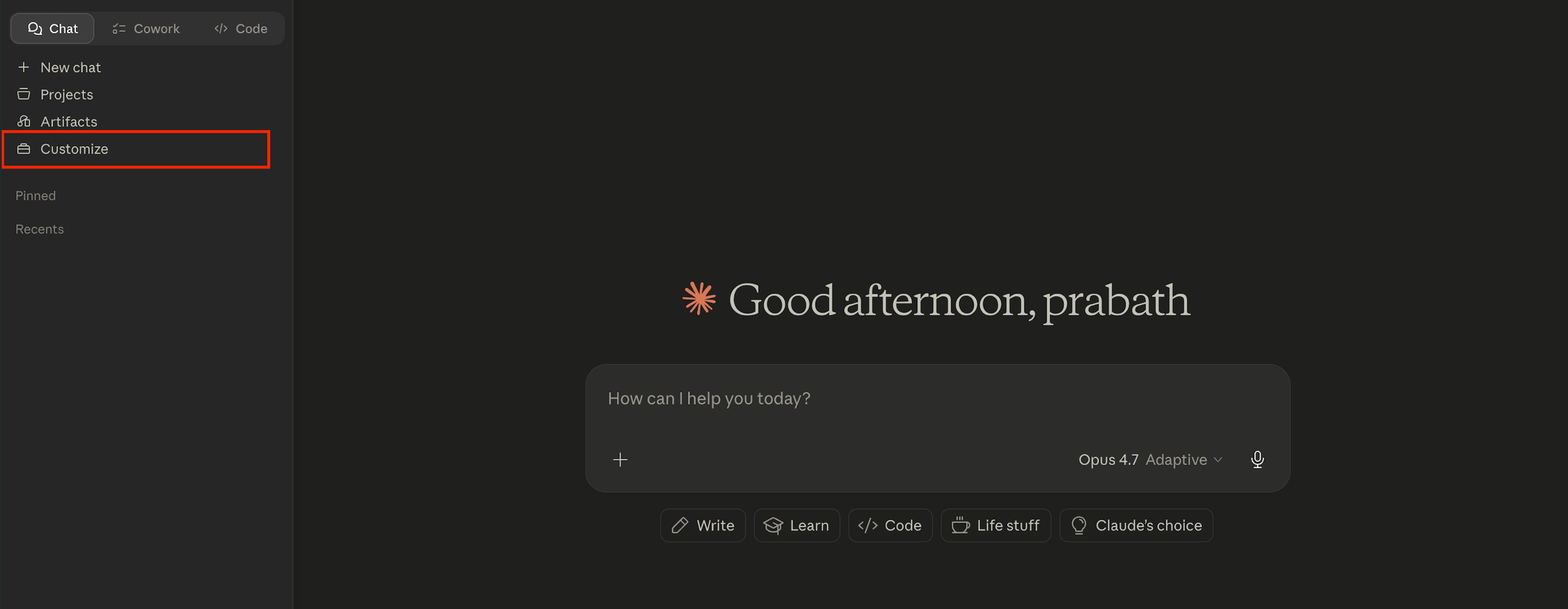
1. Open the Customise panel from the Claude Desktop sidebar.
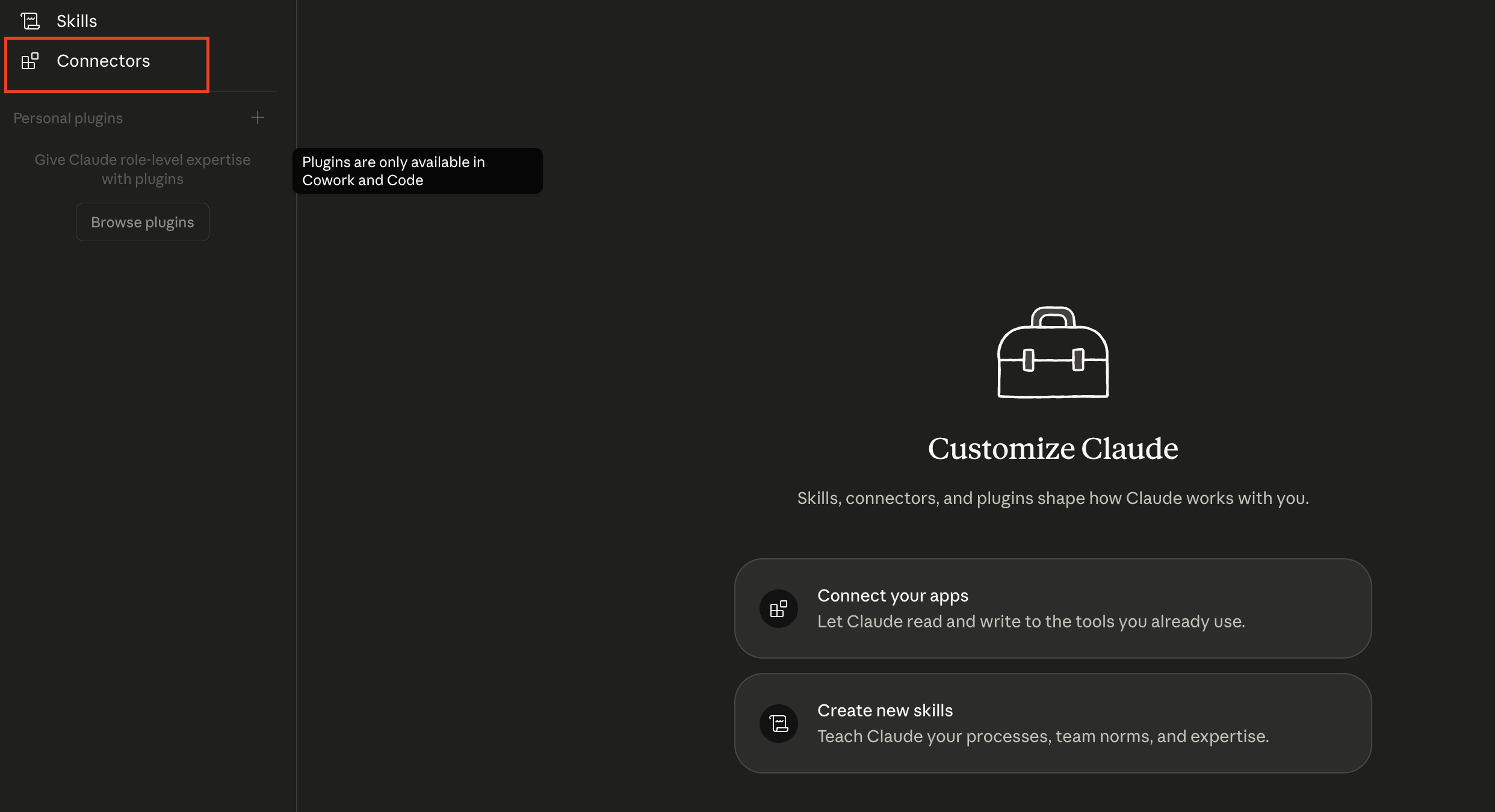
2. Open Connectors and click + next to Personal plugins.
3. Click Add custom connector, name it Ethics of AI, and paste the URL above.
4. Authenticate with your Ethics of AI credentials when Claude prompts you.
5. Open a new chat and ask about your account.
Claude on the web (claude.ai)
Settings, then Connectors, then Add custom connector. Same name, same URL, same credentials.
Claude on mobile
Mobile inherits the connector from Desktop or claude.ai. To confirm on iOS:
1. Open Settings → Connectors in the Claude app.
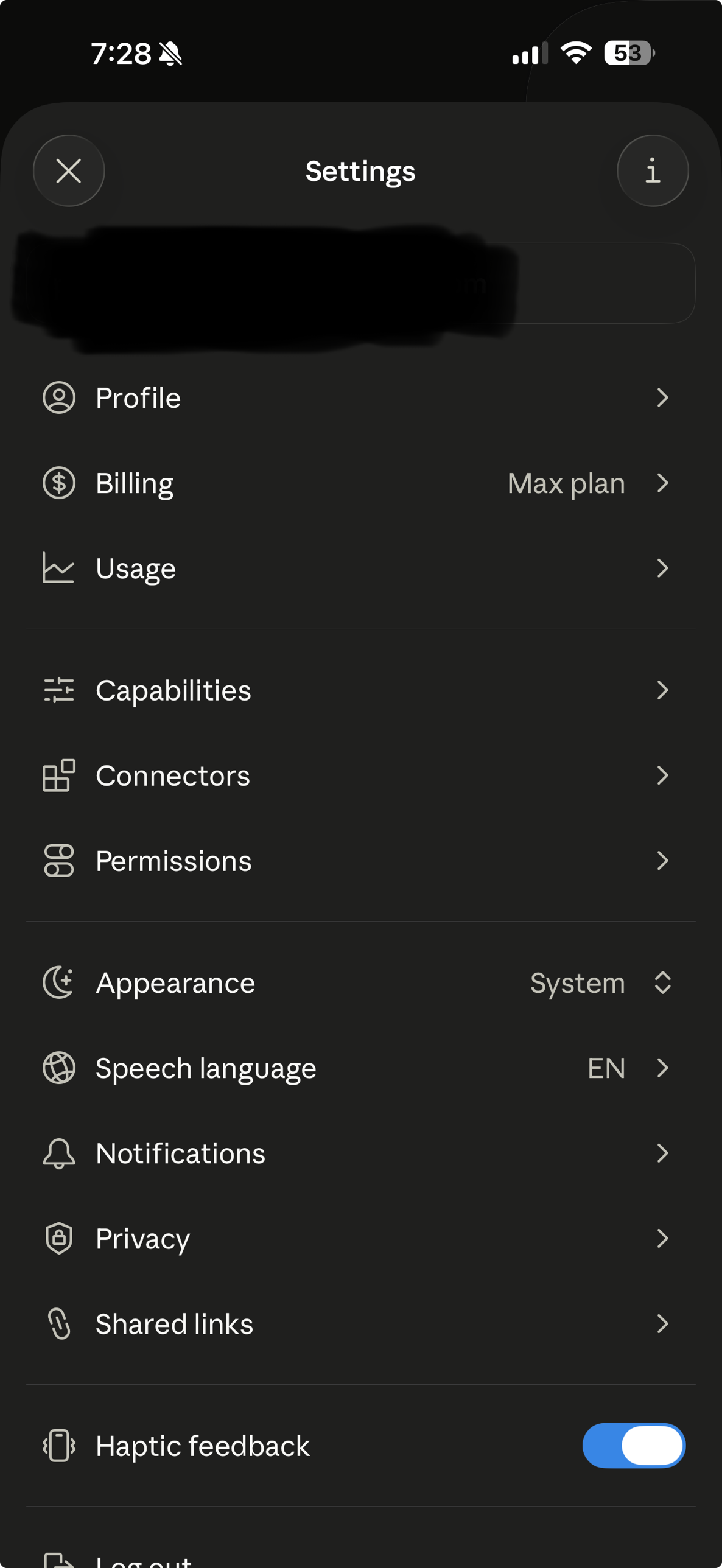
2. Ethics of AI is already in the list, signed in with the credentials you used elsewhere.
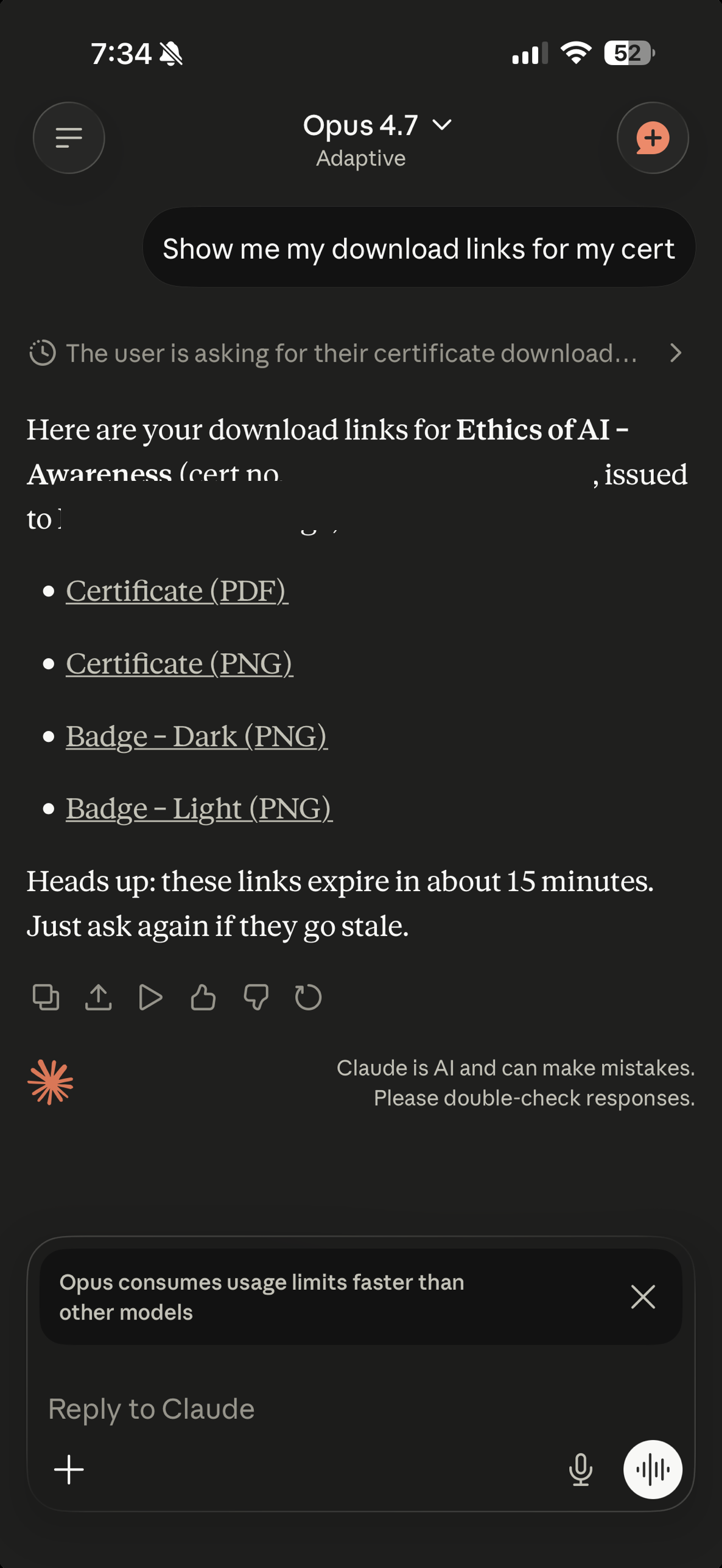
3. Use it. The same MCP tools work in the same conversation flow:
What happens when Claude calls a tool
Plain language in, account data out. The MCP server signs the request as you, hits the Users API, and returns the answer:
The connector only sees what your account already sees, with the same authorisation rules as the website.
Verify it works
Ask Claude something about your account in plain language:
- What assessments do I have on Ethics of AI?
- Show me my certifications.
- What is the status of my Awareness tier?
Claude picks the right MCP tool and answers inside the conversation:
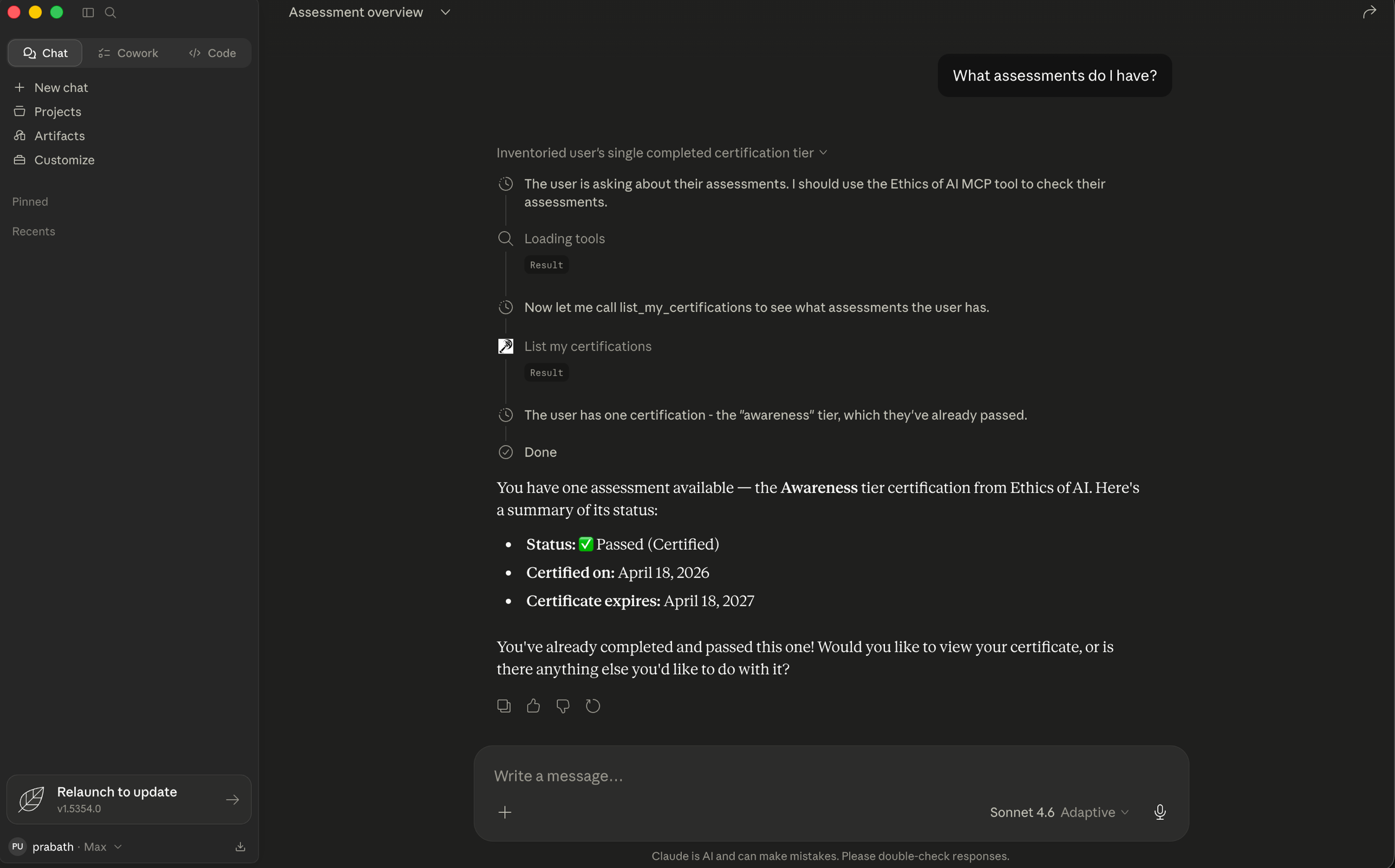
If Claude suggests opening the website instead, the connector did not authenticate. Re-run step 4 in the relevant surface above.